Continuing to experiment with AI derived images. My first attempts were using Microsoft Designer. Which is fairly easy to use, though the interface is so project oriented I found it hard to just experiment with it. I like to “sandbox” my explorations before committing to a project. To that end, I decided I needed to play around with some other tools and see what I could do. My current exploratory project is focused on Leonardo AI, and like my first attempts with Designer, I am attempting to use it to generate representations of characters from my stories. For purposes of this effort, I’m just using the free version. I see no need to plunk down a years worth of payments only to find I can’t make it work.
Unfortunately for me, I’m fairly ignorant of how AI works for image generation. I get the idea of crafting your picture in words — like instructions to the artist — so that the image can be rendered. Not being an artist myself, I get lost in some of the terminology. However, I like to learn as I do and see the results, that way I can visualize the process.
Leonardo has a lot of options to play with, not all of which I understand. I tried using the defaults initially to see what I could do. Jumping right into image generation, I plopped some text into the prompt. This is what I used initially to render one of my main characters from my Westfal series, Gall, an ageless shadow warrior.
Create an image of a 42-year-old European man with neck-length black hair and a beard. He has a hooked nose and gray eyes. He is wearing a loose-fitting dark grey tunic with sleeves that reach his elbows. Some chainmail shows through the collar. Red dragon tattoos show on his upper forearms. He wears a dark grayish-green hooded cloak secured with a cloak pin shaped like a black pentagram. From his sword belt hangs a scabbard with a sword in it. The scabbard looks worn and black. The sword grip is black, and the pommel is round. Use a pencil sketch style. It is set in the medieval period with elements of fantasy. The man’s pose is that he leans against a tree, looking exhausted from a recent fight. His hand rests on the pommel of his sword.
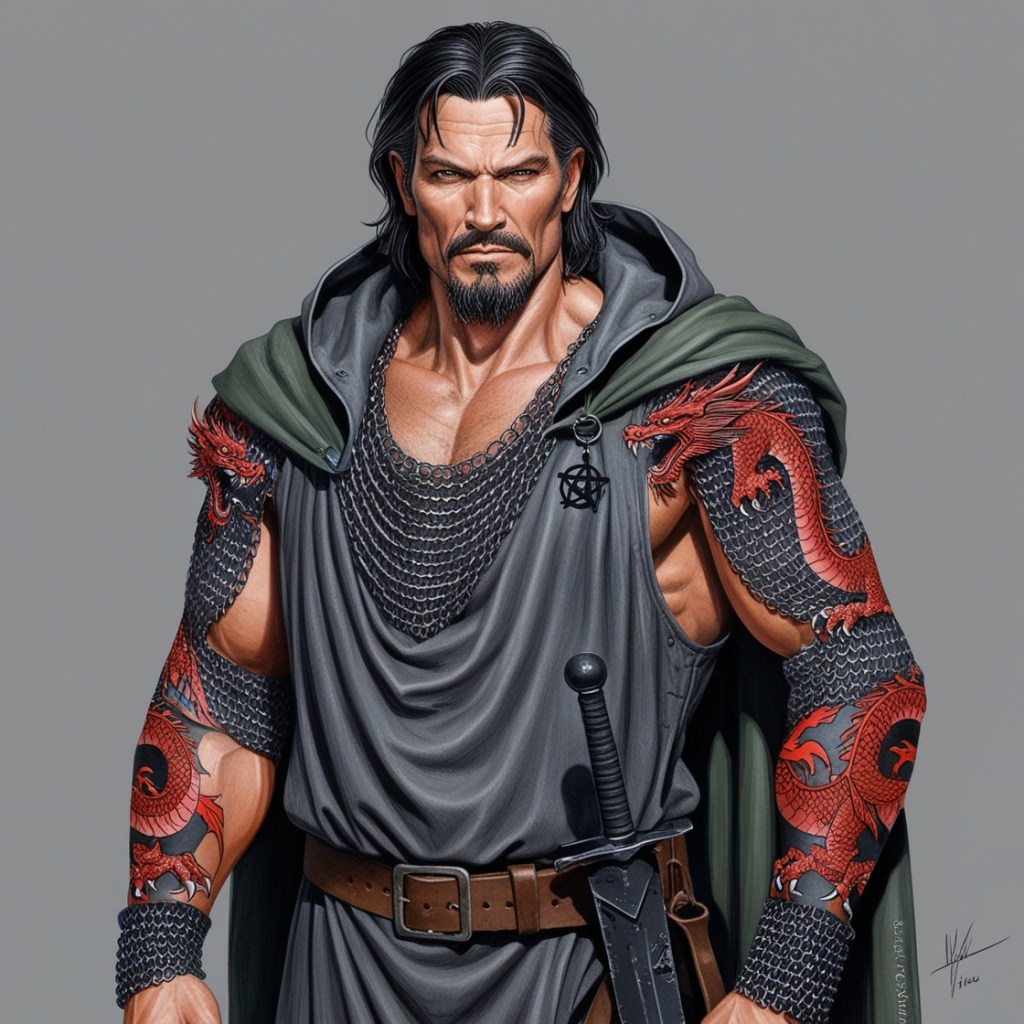
So, this had some of what I was looking for, but also had a bunch I did not want. Don’t get me wrong, the character looks intense, but more like a cross between a romance novel and sword and sandals movie poster. I did like the sword representation, which from what I can tell from AI art generators, is very problematic. Part of the problem was the default preset I used (Leonardo Phoenix), which aimed at a very realistic portrayal with emphasis on what giving me exactly what I wanted. Though the business of lack of sleeves and tattoos being on the skin and the armor was a bit mystifying. I decided to switch the preset to Aldedo Base XL, which provides for a bit more interpretation by the AI. I also asked Chatgpt to rewrite the prompt for AI image generation. Not sure if that made a difference, but given my lack of experience with AI image prompts, I tried it anyway. Here’s my next prompt for the subject:
Create a pencil sketch of a 42-year-old European man in a medieval fantasy setting. He has neck-length black hair, a beard, a hooked nose, and gray eyes. He is wearing a loose-fitting dark grey tunic with sleeves reaching his elbows, showing some chainmail through the collar. His upper forearms are adorned with red dragon tattoos. He is draped in a dark grayish-green hooded cloak fastened with a black pentagram-shaped cloak pin. His sword belt holds a worn, black scabbard with a black-gripped sword featuring a round pommel. The man is leaning against a gnarled tree, looking exhausted from a recent fight. His hand rests on the pommel of his sword. The background should reflect a medieval forest setting with fantasy elements. Capture the essence of weariness and strength in the pose and expression.
Generating the image gave me this.
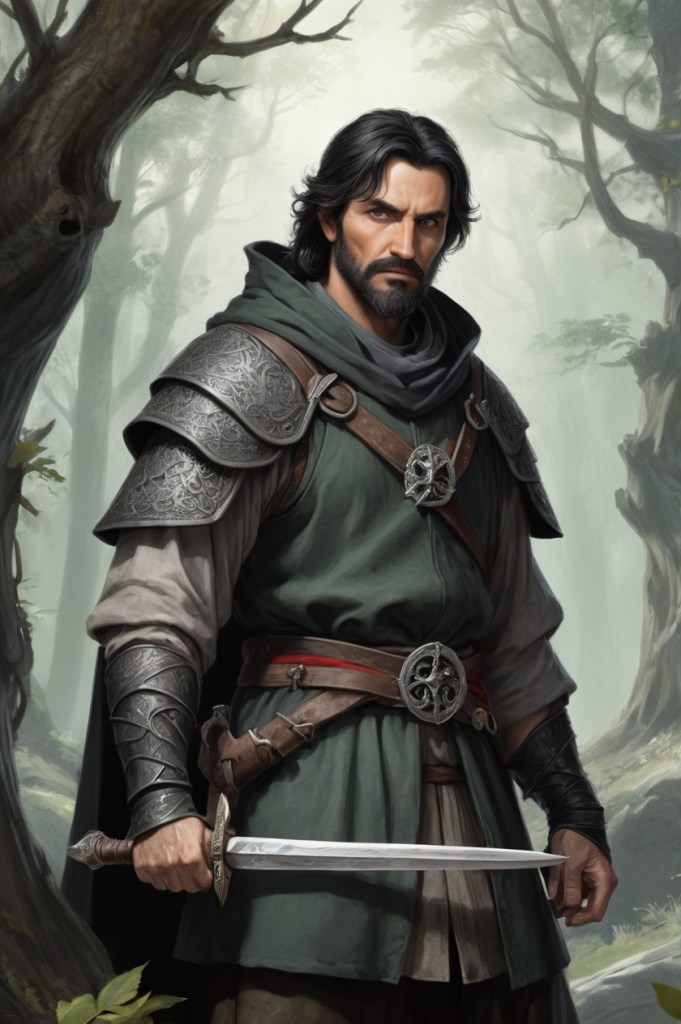
I did like this rendering, though it ignored a fair amount of what I asked for. Still, it was more “realistic” and less “runway model” but the armor over the clothes was a non-starter for me. I did a bit of poking about, and discovered a “negative prompt” aspect to image generation. It operates in reverse to the general prompt which is intended to give you what you ask for. The negative prompt takes away aspects of the image you don’t want. So for the above example, and entered “armor over clothing” (or something to that effect). This gave me the following:
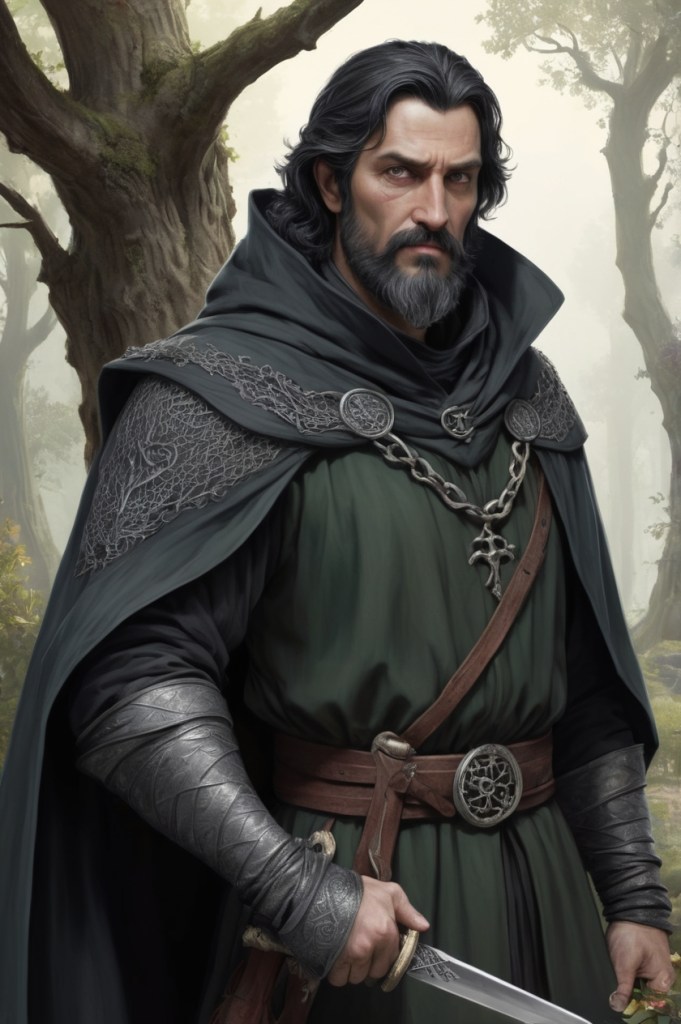
All in all, pretty nice. There’s a lot more I would actually change, but since I’m using the free version, I can only do so much with the available “credits” that you expend every time you generate an image. As of this writing the daily limit is about 150 credits, with images taking somewhere between 24 to 14 credits every time you make an attempt.
That said, I have a style and default model for my AI image generating prompts that seems to work. More on these efforts next time, but with other characters.
 Greg C. Miller, Author
Pingback: AI Generated Art (Westfal — Faline) | Greg C. Miller, Author